AllSquare is a product for splitting expenses faster and simpler. I designed and built it from the ground up, featuring real-time sync, flexible splits, and AI-powered expense entry.
Full Stack Development, Product Design, Next.js, React Query, PostgreSQL, AI Engineering
A Shared Ledger
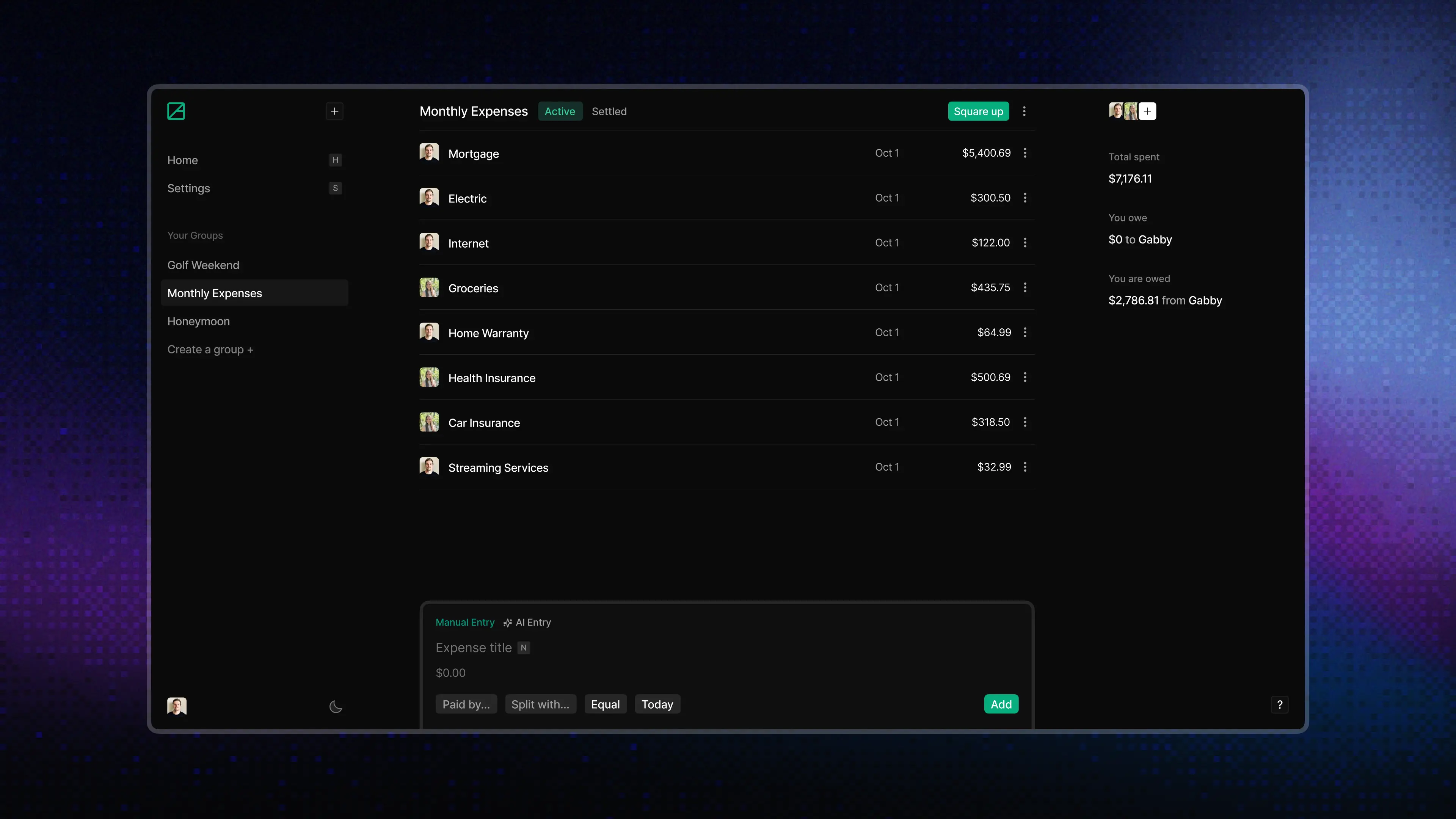
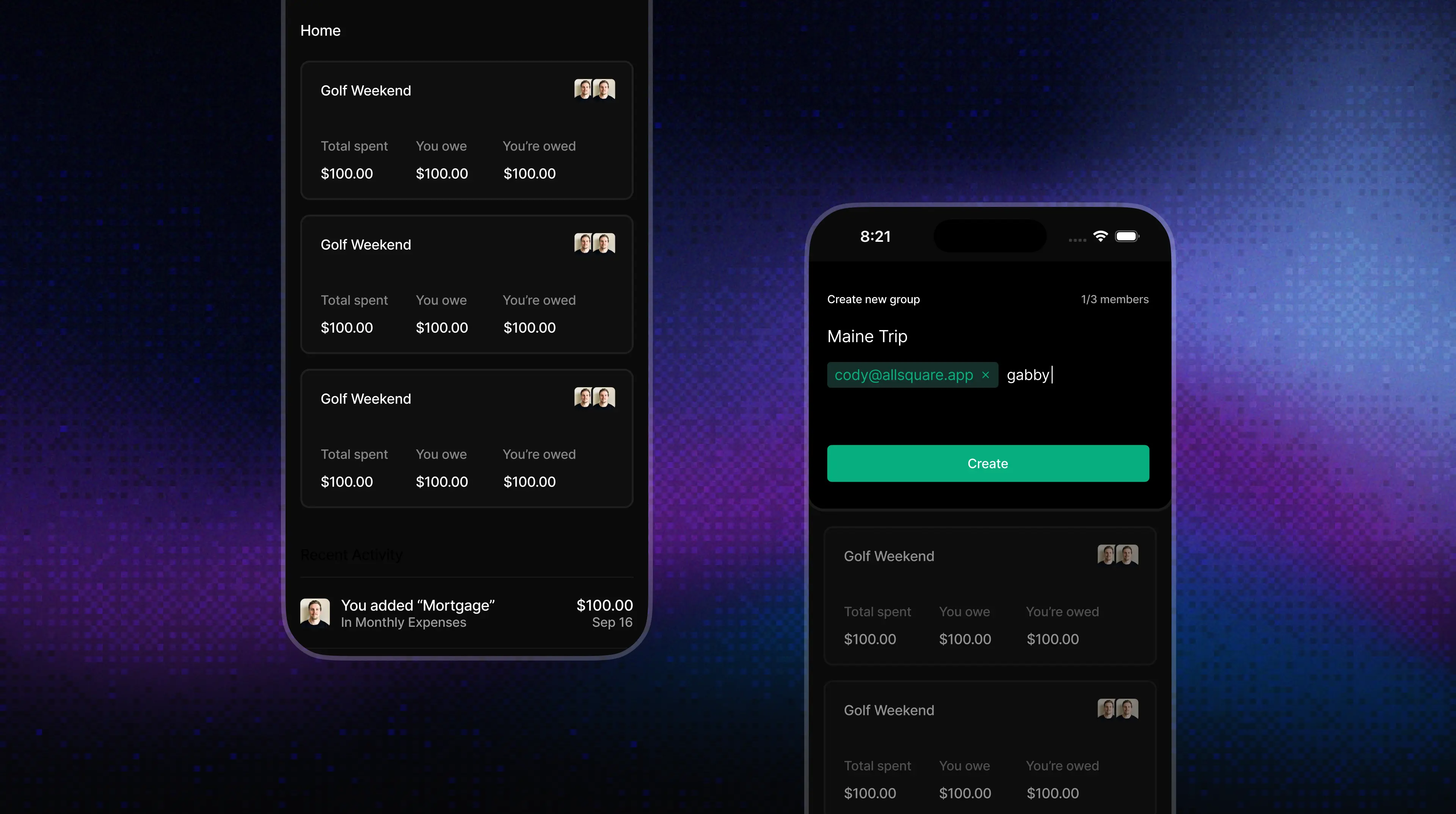
AllSquare organizes shared expenses into groups: a household, couple, trip, or small team. Each group needs to answer a few basic questions quickly: what happened, who paid, who owes whom, what is still active, and what has already been settled.
Balances, activity, and expense entry all live in the same place. Each group has its own private ledger, while the activity history makes every change visible to the people involved.
When someone adds groceries from their phone, another person viewing the group on a laptop should see the new expense and updated balance right away. AllSquare listens for changes to expenses, members, settlements, and recurring templates, then refreshes the dashboard and the affected group.
const syncLedger = (payload: RealtimePayload) => {
  const groupId =
    payload.new?.group_id ?? payload.old?.group_id;

  queryClient.invalidateQueries({
    queryKey: ["groups", "summary"],
  });

  queryClient.invalidateQueries({
    queryKey: ["activities"],
  });

  queryClient.invalidateQueries({
    queryKey: groupId
      ? ["group", String(groupId)]
      : ["group"],
  });
};
Shared summaries and activity refresh after every change. When the payload includes a group ID, AllSquare refreshes that specific ledger. When it does not, it falls back to refreshing all group data.
Manual and AI Entry
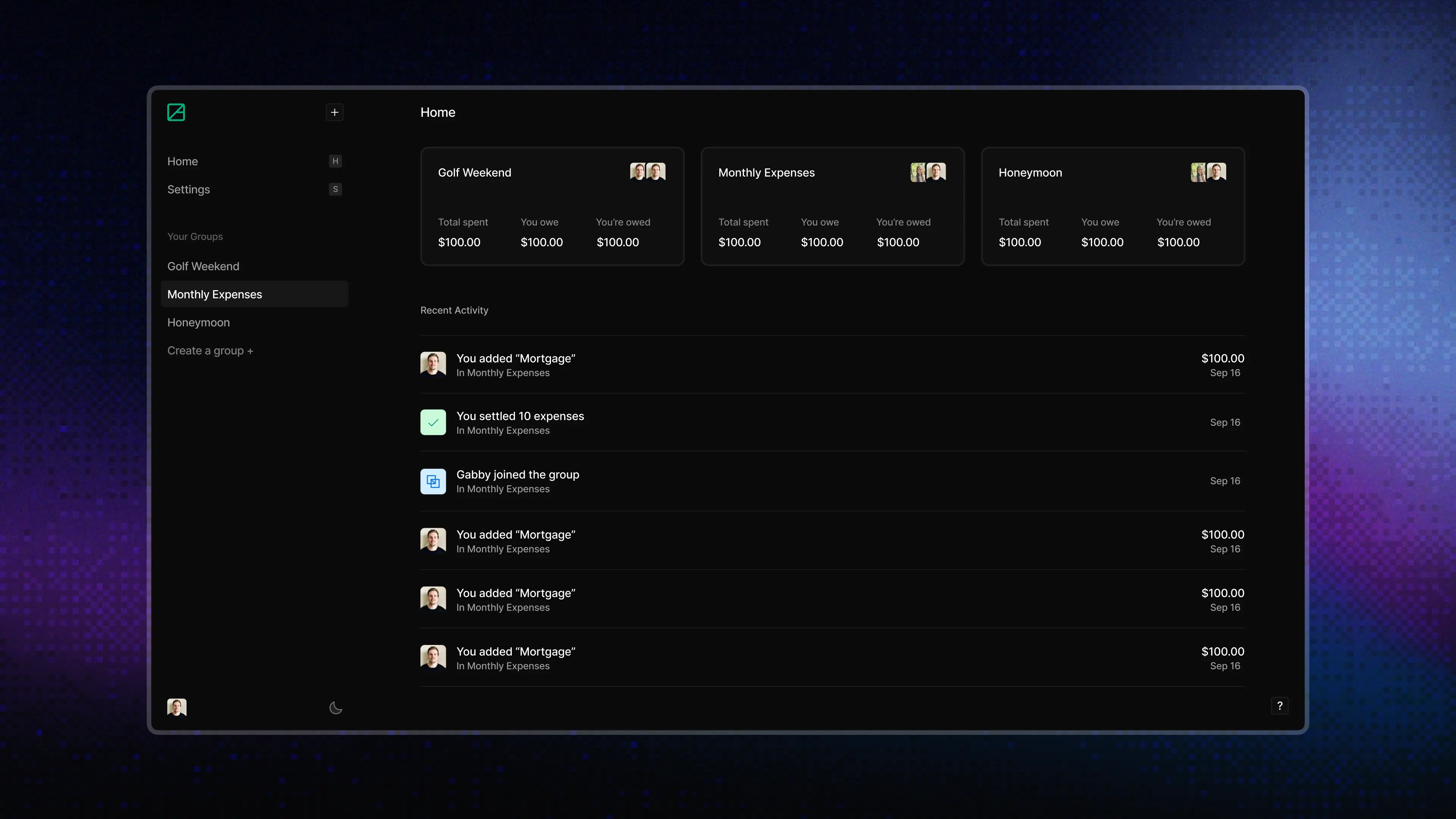
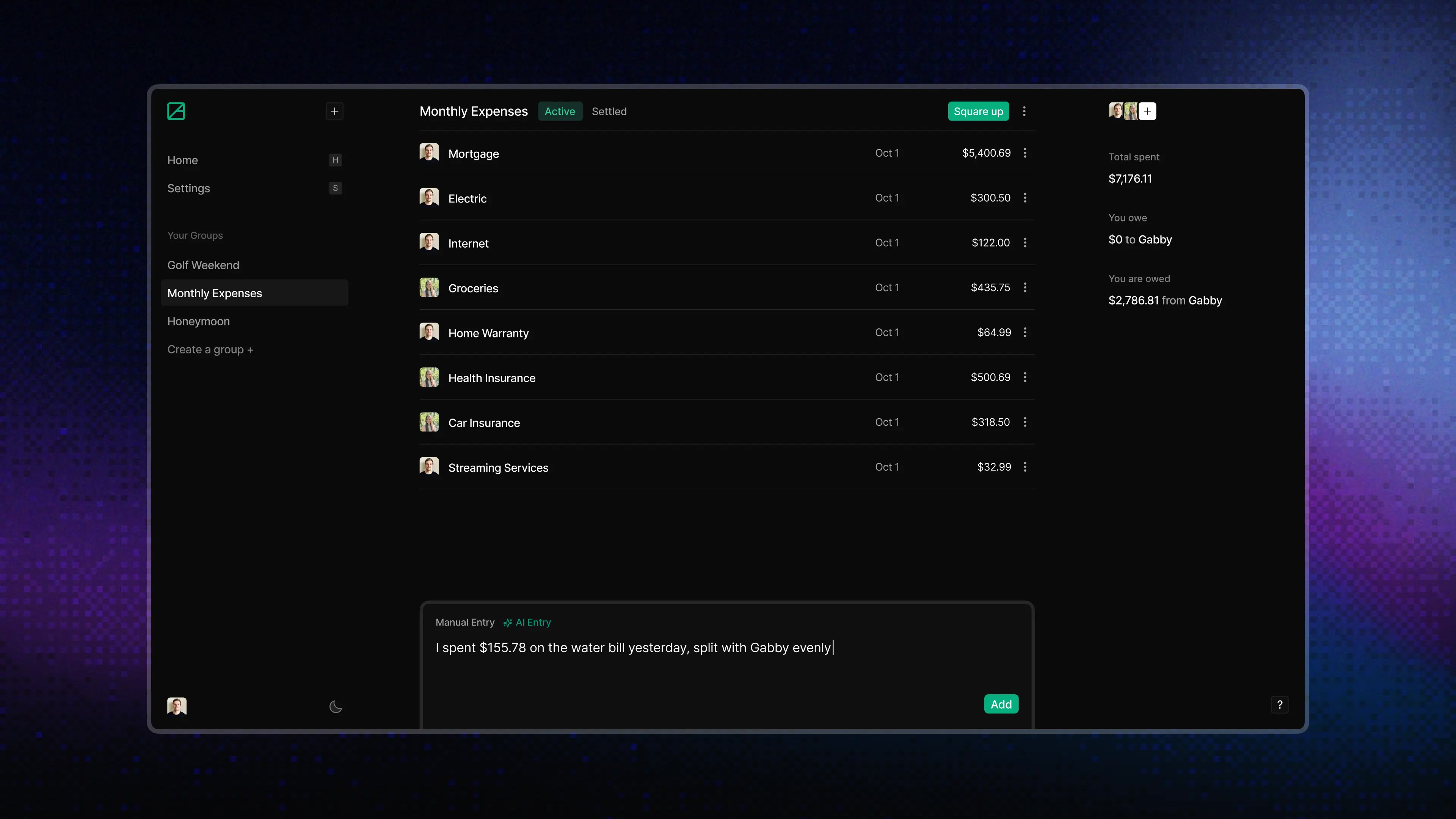
Manual entry gives people full control, but even a simple expense can take six to eight fields. I placed natural-language entry inside the existing add-expense UI. People can use the form when they need precise control or write a sentence when the details are straightforward. AllSquare creates the expense immediately, and every field remains editable afterward.
Both paths create the same editable expense, including the payer, participants, date, currency, recurrence, and equal, percentage, or exact splits. The model can turn a sentence into structured data, but it cannot invent group members or create a split that does not add up. Invalid input is caught before anything is added to the ledger.
I paid $45 for dinner yesterday, split equally with Sarah.
Rent is $1,500 monthly. I cover 60% and Alex covers 40%.
I owe Gabby $100 for groceries.
Recurring Expenses
Regular expenses should not have to be recreated every week or month. A recurring expense saves the payer, participants, split, amount, currency, and schedule as a template for future entries.
People can schedule expenses from weekly to yearly and see the next date before saving. Each occurrence is added to the same shared ledger, runs through the same validation, and syncs to everyone in the group.
Settlement With Explicit Review
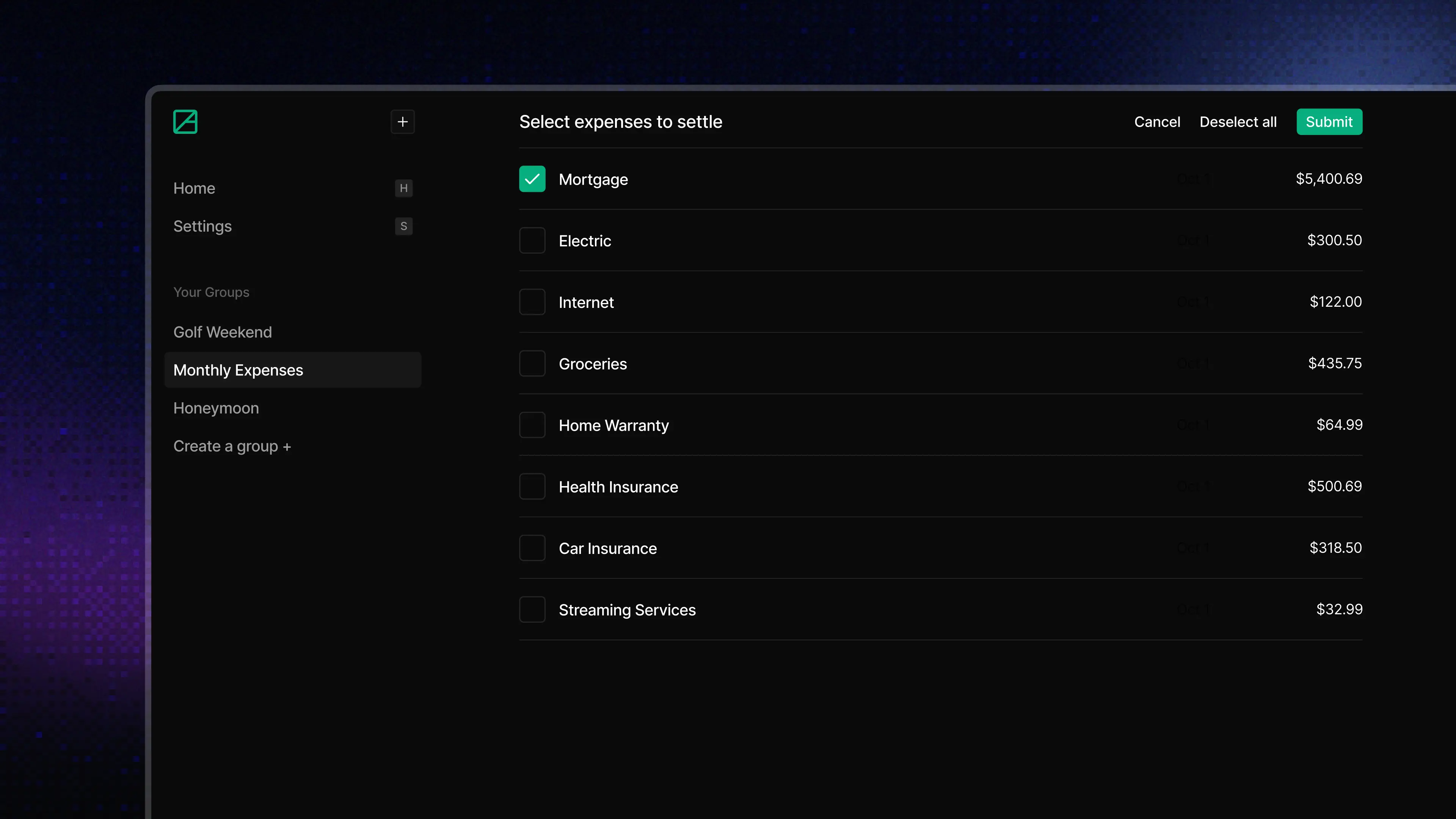
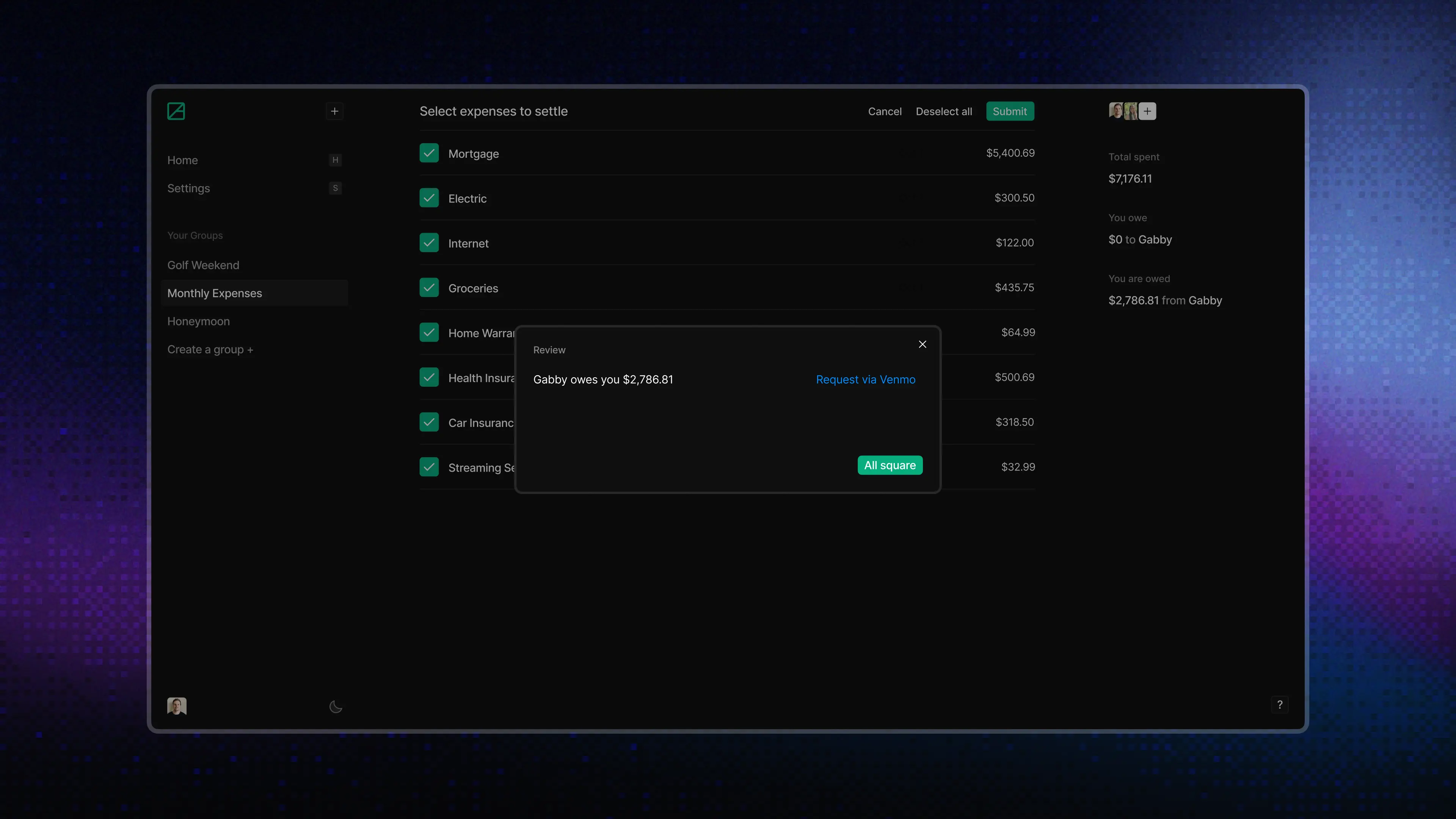
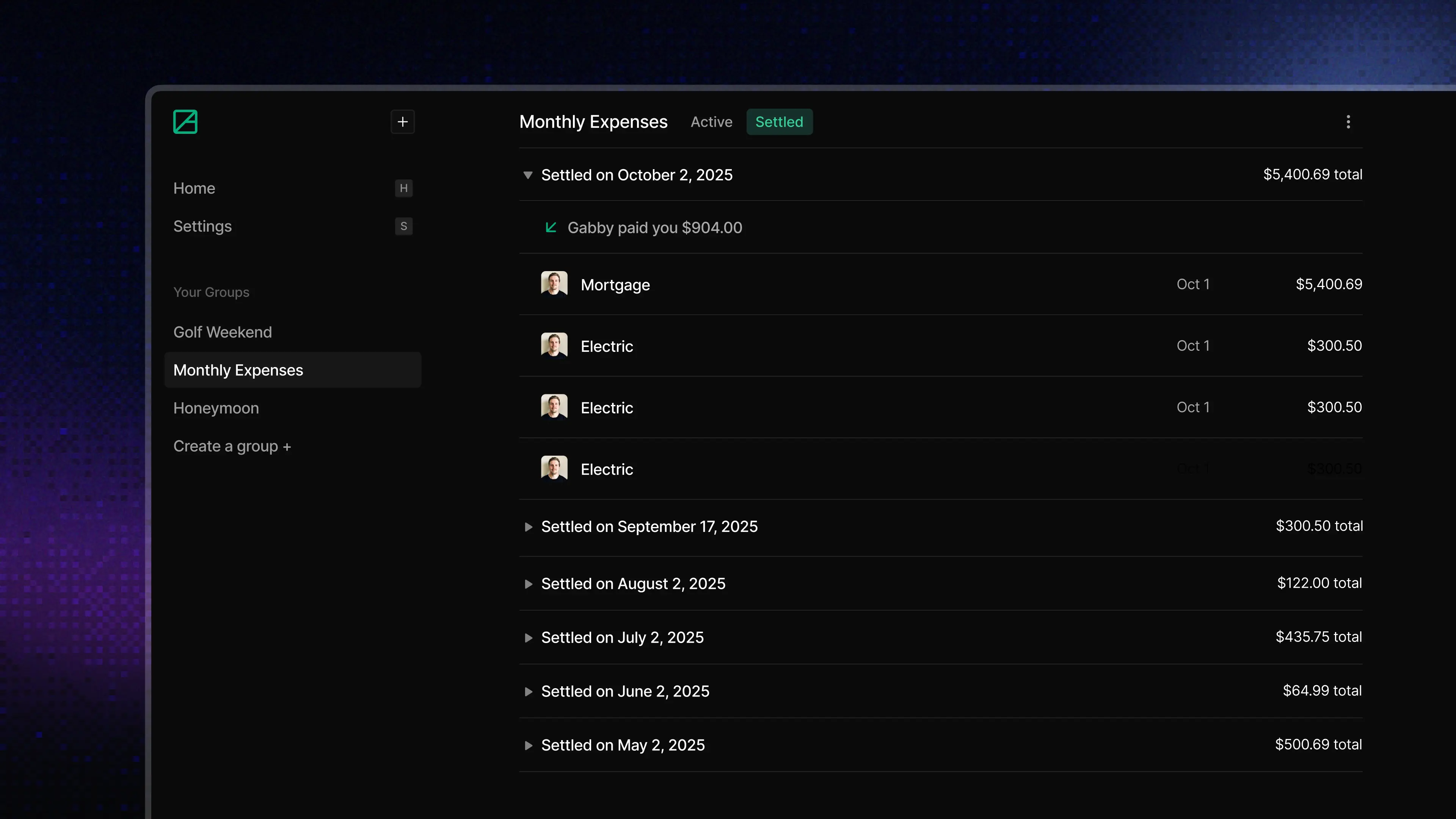
Settlement changes the ledger, so it requires an explicit review step. People select the expenses to include, see how the balance will change, and confirm before anything is marked as settled.
When someone has added their Venmo account, the other person can choose Request via Venmo or Pay via Venmo. AllSquare opens Venmo with the recipient and amount already filled in.
The same rule applies to AI clients. An agent can calculate and preview a settlement, but it cannot update the ledger without explicit confirmation.
function validateSettlementIntent(
  input: SettleExpensesInput,
): Result<void, ValidationError> {
  if (!input.confirmed) {
    return Result.err(
      new ValidationError({
        message: "Settlement requires explicit confirmation from the user",
      }),
    );
  }

  if (!SETTLEMENT_INTENT.test(input.userIntent)) {
    return Result.err(
      new ValidationError({
        message:
          "Settlement requires clear intent such as settle up or mark paid",
      }),
    );
  }

  return Result.ok(undefined);
}
The confirmation check runs at the mutation boundary, after the preview and before any expense is marked as settled.
Finding and Managing Expenses
As groups build up months of expenses, finding and managing past entries becomes just as important as adding new ones. Global search works across every group, with filters for payer, date, status, and group. Filters stay in the URL, results can be navigated by keyboard, and the activity history shows what changed and when.
The experience stays consistent across desktop and mobile. Expense entry remains close to the ledger, drawers make room for the on-screen keyboard, and active, settled, and recurring expenses are easy to tell apart in both light and dark mode.
One Ledger for People and AI Clients
Once the ledger supported entry, splits, recurring expenses, currencies, search, and settlement, I opened the same capabilities to the AI clients people already use. ChatGPT, Claude, Claude Code, and other MCP-compatible clients can check balances, add expenses, manage recurring templates, and preview settlements.
I organized AllSquare around shared ledger modules so AI clients follow the same rules as the interface instead of becoming a separate version of the product:
Both paths use the same modules for expenses, recurring templates, settlements, money, and read models. The interface and connectors handle the work specific to their surface, while the shared modules own details like insert order, split cleanup, exchange-rate fallbacks, and settlement RPCs.
I built an OAuth-protected connector with separate read and write permissions, idempotent writes, connected-client management, and revocation. Its tool descriptions explain how AllSquare works, not just which fields an API accepts.
Before creating an expense, clients must retrieve the group’s members and use their real identifiers rather than guessing from names. The connector also applies the same split validation, currency handling, and settlement confirmation rules as the interface.
Read the deep diveTakeaways
AI needs clear product rules. Structured tools, schemas, member lookup, split validation, idempotency, permissions, revocation, and explicit confirmation keep AI actions predictable and safe.
Interface and API design are starting to overlap. Once AI clients become product surfaces, tool descriptions, OAuth scopes, error messages, and confirmation steps all become design decisions.
Consistency comes from shared logic. The web product and AI clients can support different interactions while still following the same rules for expenses, money, and settlement.